
How to use AI Brand Audit
Search is changing. Buyers no longer just Google — they ask AI. If your brand isn’t showing up in AI-driven answers, you’re invisible.
Our AI Brand Audit scans your website, generates real buyer-style queries, and tests them across AI platforms. The result? A clear picture of how visible your brand really is inside AI search results.
Steps to use the AI Brand Audit #
Log in to the account with valid credentials.
It navigates to the Home page.
Step 1 : #
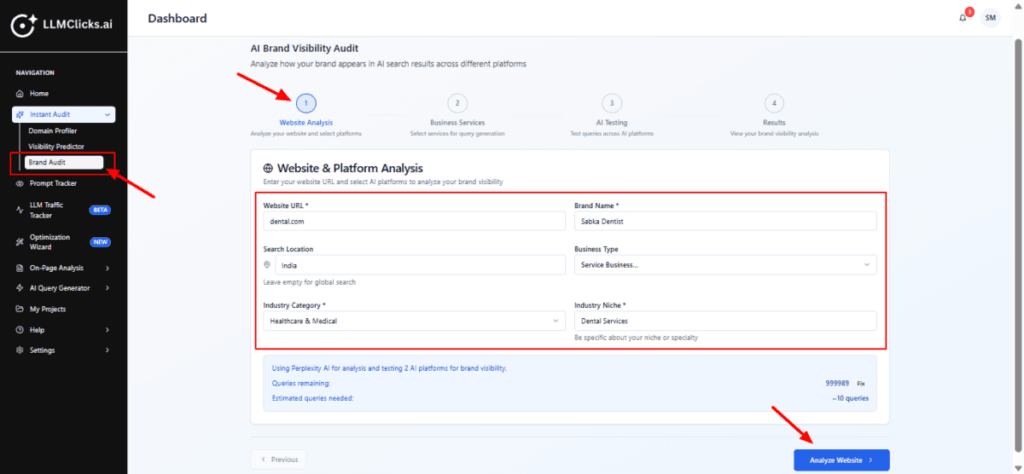
From the Home, go to the left navigation menu.
Click Instant Audit to expand its options (if it isn’t already open).
Click Brand Audit to open the AI Brand Audit tool.
Fill in the required fields (Website URL and Brand Name are essential).
Choose Search Location if you want localized AI results.
Select Business Type and Industry Category/Niche to help the tool generate relevant queries.
Click on Analyze Website to run the domain synthesis and move to query generation.
Step 2 : #
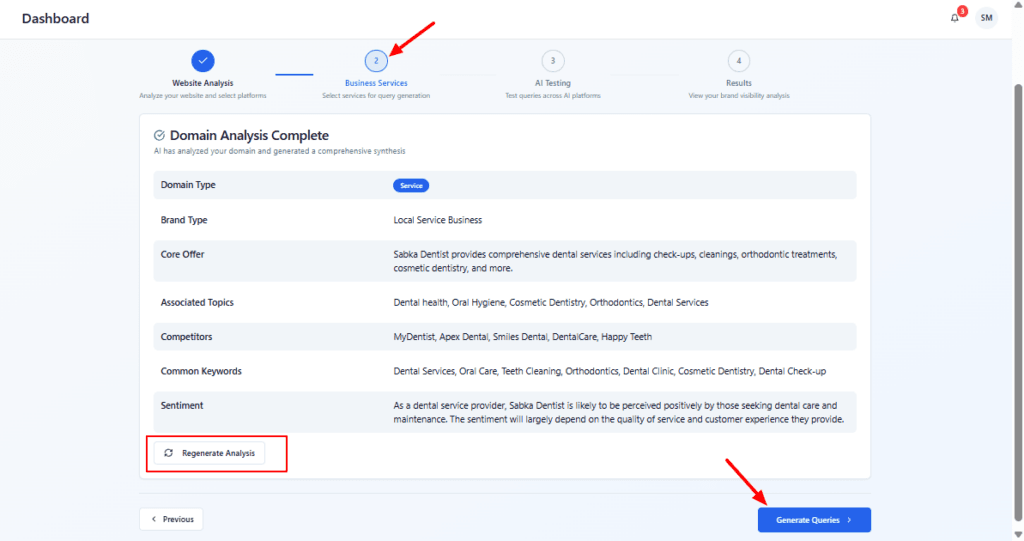
Verify AI’s domain synthesis — ensure the domain type, core offer and topics match your business.
If the synthesis is off, click Regenerate Analysis (or click Previous to change inputs) and try again.
When happy with the synthesis, click Generate Queries to move on to query selection and platform testing.
Step 3 : #
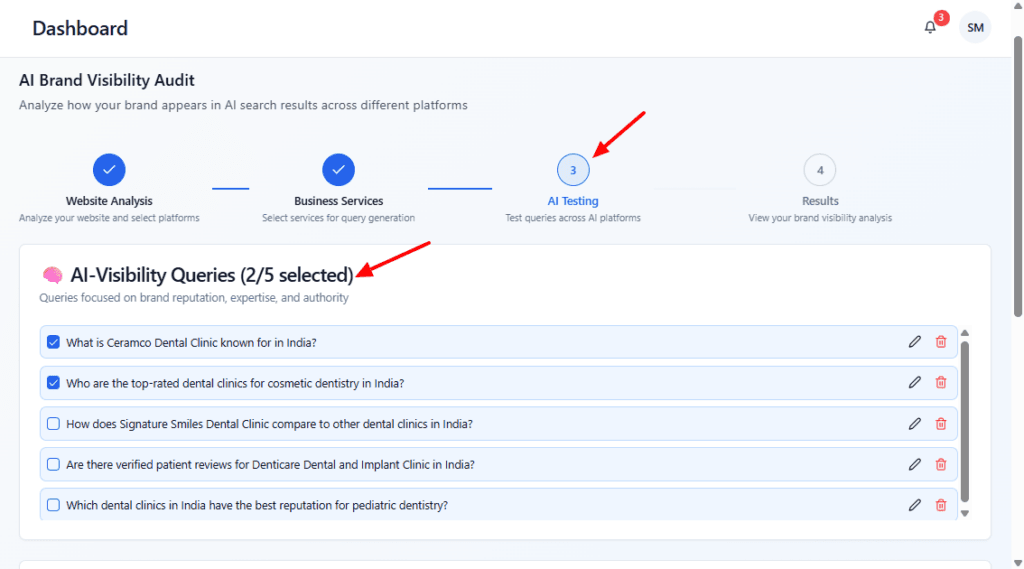
Select the AI-visibility queries that best reflect reputation/authority topics you want tested.
Edit or remove any generated queries if you prefer a custom phrasing.
Proceed to the results step (the wizard’s next stage) once your queries are selected.
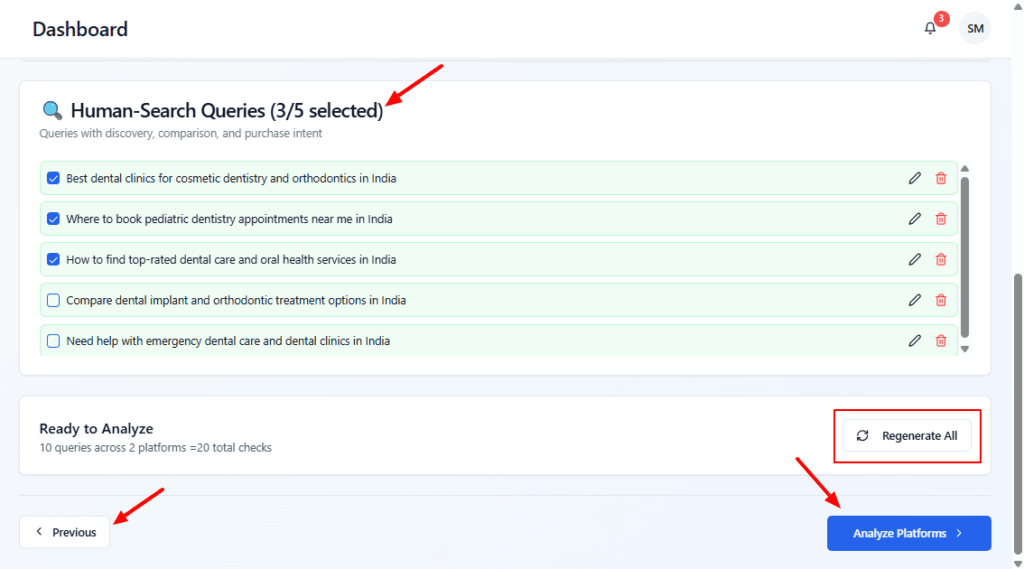
Review the suggested human-search queries and check the ones you want to include.
Edit any query text using the pencil icon, or remove a query with the trash icon.
Click Regenerate All to get a fresh set of suggested human queries if these don’t fit.
When ready, click Analyze Platforms to run the checks across the selected AI platforms.
Step 4 : #
Scan the four metric tiles to judge overall performance at a glance.
Scroll the AI Search Query Results table to inspect each query and see which platforms returned your brand (and which returned “No results found”).
Use this view to identify gaps where the brand is not appearing and which queries/platforms need improvement.
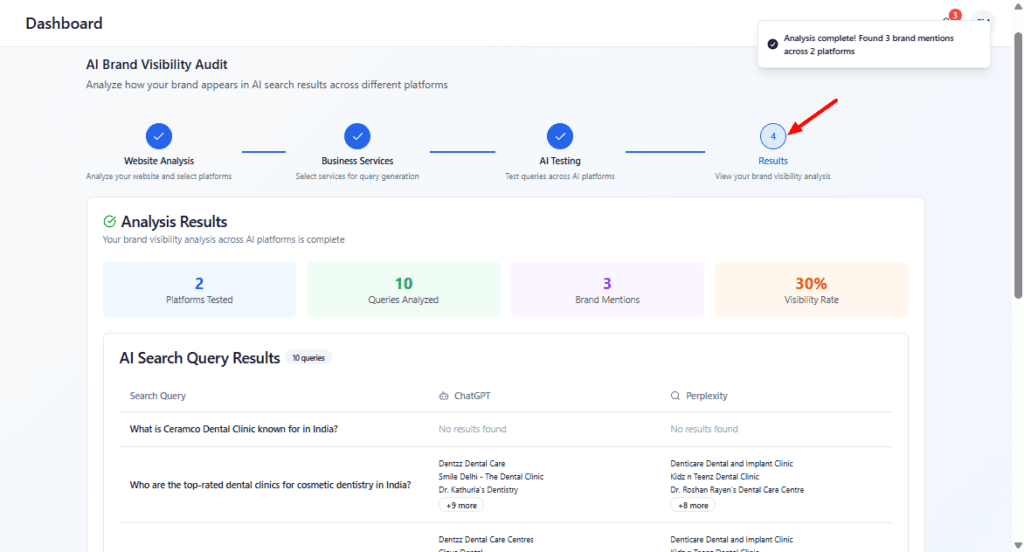
Review the summary numbers to quickly understand coverage and brand mentions.
Click Open in New Tab to view the results separately or Download PDF to save/share the report.
Use Start New Analysis to run another brand audit, or click Previous to change earlier inputs.
