How to use SAAS Query Generator
The SaaS Query Generator helps you instantly create high-intent, AI-friendly search queries for your software product. It converts your features, use cases, and benefits into natural-language questions that users ask on platforms like ChatGPT and Google. This allows you to track AI visibility, build targeted landing pages, and optimize content for LLM-driven discovery.
Steps to use the SAAS Query Generator #
Log in to the account with valid credentials.
It navigates to the Home page.
Step 1 : #
From the Home, go to the left navigation menu.
Click AI Query Generator to expand its options (if it isn’t already open).
Click SAAS Query Generator to open the tool.
Under AI Model Selection, choose the model you want (e.g. ChatGPT (OpenAI)).
Fill in Product Name and (optionally) Product Website.
Select Industry/Vertical, Search Intent, and Target Company Size that best match your SaaS.
In Primary Use Case, describe your product in 1–2 sentences (this gives the generator context for smarter queries).
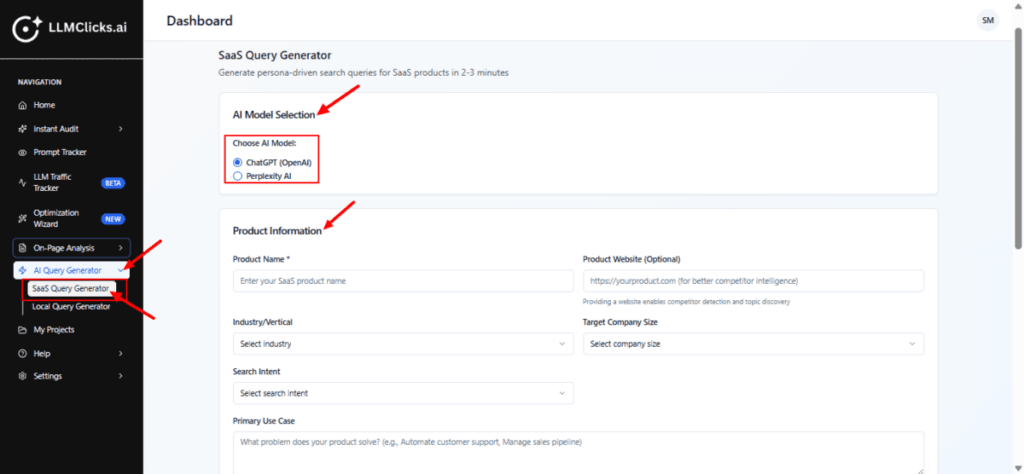
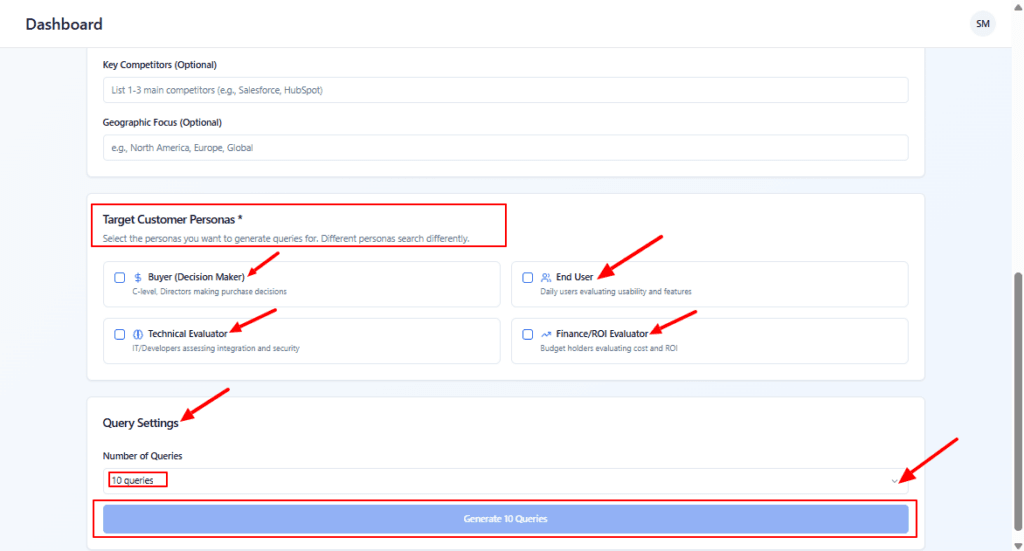
Key competitors and Geographic Focus both are optional.
Under Target Customer Personas, tick the personas you want to generate queries for
(e.g. Buyer, Technical Evaluator, End User, Finance/ROI Evaluator).In Number of Queries, type how many queries you want in total (e.g. 10 queries).
Click Generate Queries at the bottom.
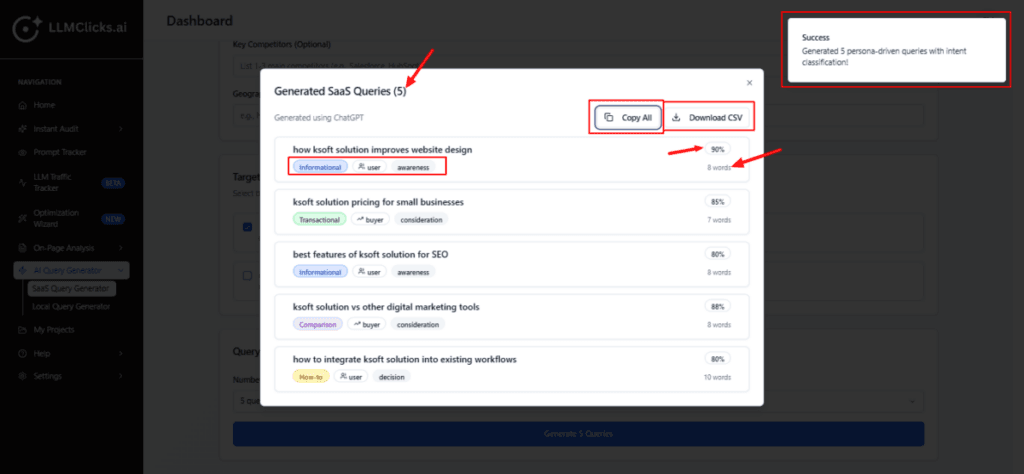
The system will call the selected AI model and open a pop-up with generated queries (next image).
Step 2 : #
Review each query line:
Check the intent (Informational / Transactional / etc.) and make sure it aligns with your campaign goals.
Confirm the persona and funnel stage (awareness/consideration/decision) are correct for your targeting.
Use the match % to prioritize the strongest, most relevant queries.
If you like the set:
Click Copy All to paste queries into a spreadsheet, prompt list, or ad/campaign planner.
Or click Download CSV to save them as a structured file for later use.