AI Listicle Marketplace Step-by-Step Guide
The AI Listicle Marketplace (branded as Backlink Marketplace in the UI) is a unique platform that helps you discover and acquire placements on domains that are highly cited by AI engines like ChatGPT, Claude, and Perplexity.
If you own websites and want to sell backlink placements, follow these steps:
Navigate to the Marketplace section in the sidebar.
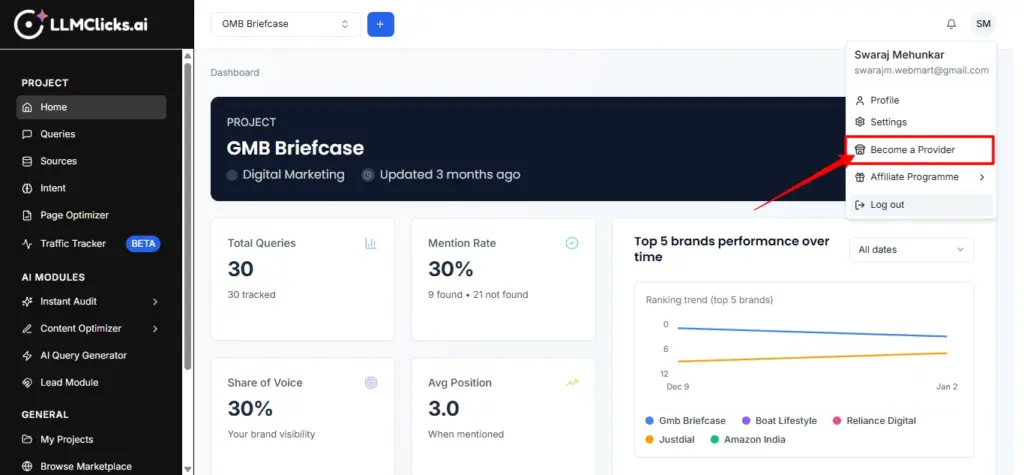
Click on Become a Provider (URL: /backlink-marketplace/become-provider).
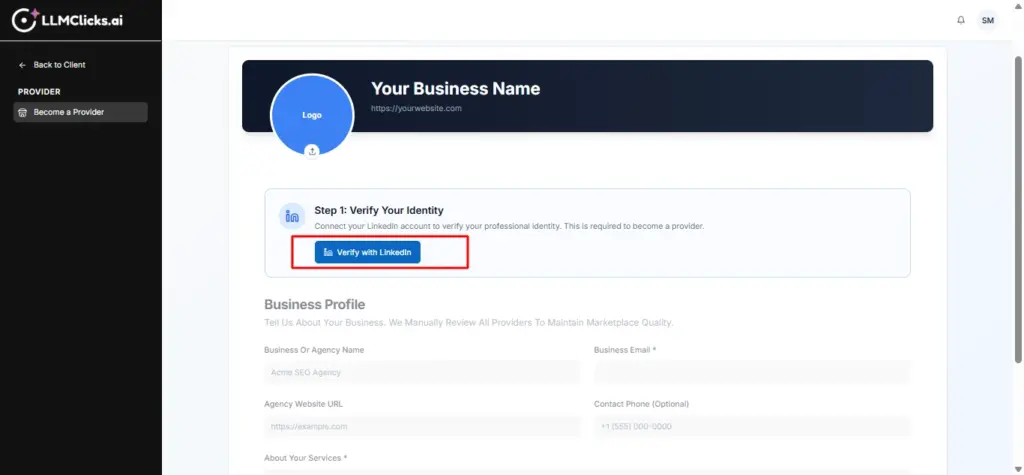
Click the Verify with LinkedIn button.
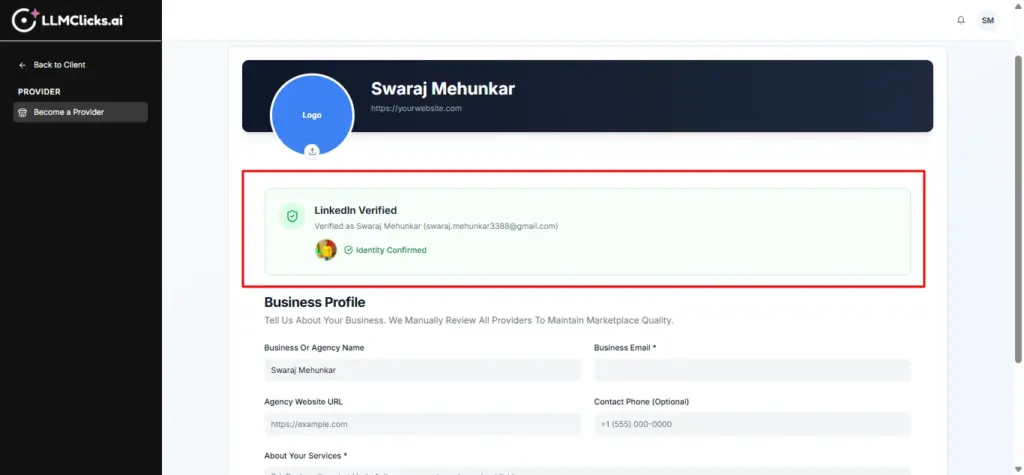
Follow the OAuth flow to connect your LinkedIn account.
Why?
This is a mandatory step to ensure the quality and professional identity of our providers.
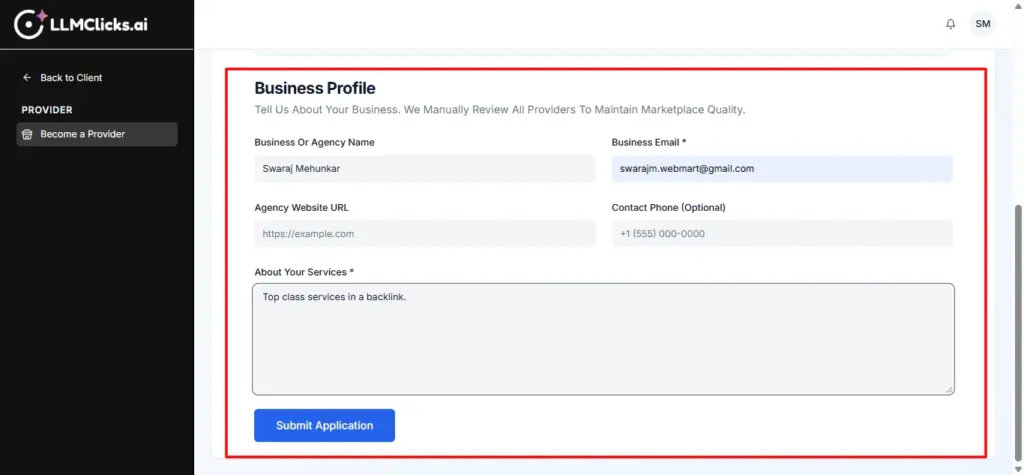
Once verified, provide your Business Name, Business Email, and Agency Website URL.
Write a brief description of your services in the About Your Services field.
Upload your Business Logo for better visibility in the marketplace.
Click Submit Application.
Your application will be sent to the Admin for manual review.
Status Tracking: You can view your application status (Pending, Approved, Rejected) on the same page.
Once approved, you can start listing your domains.
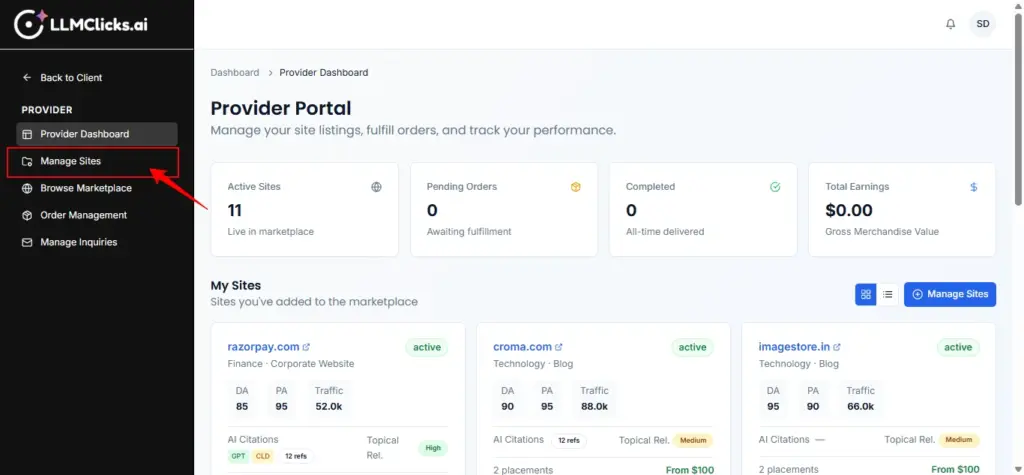
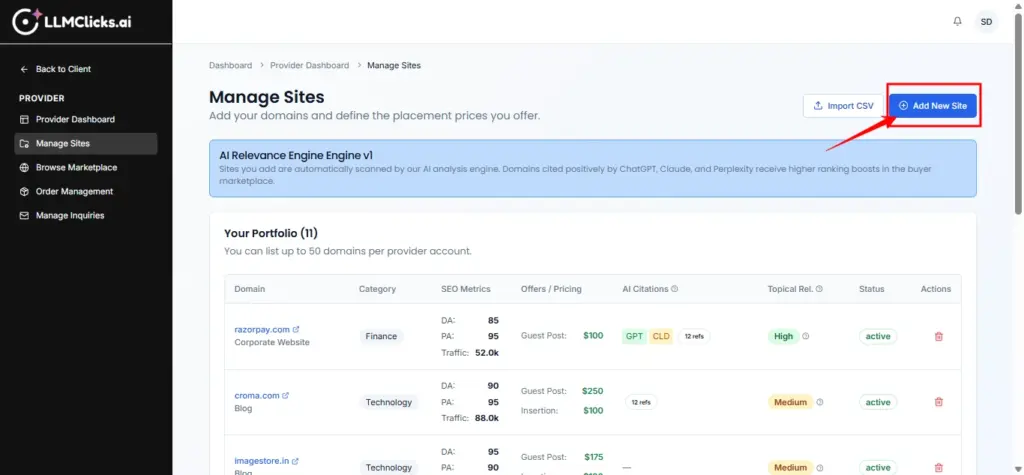
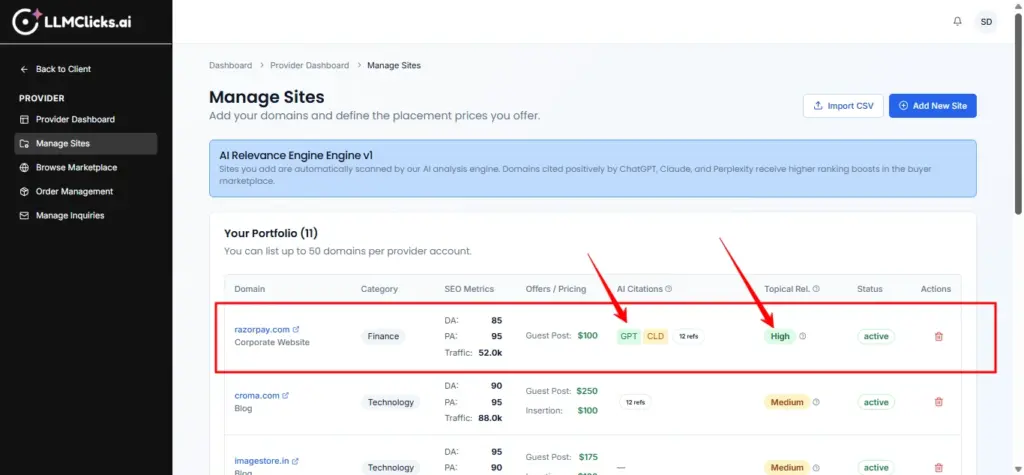
Go to Provider Dashboard -> Manage Sites (URL: /backlink-marketplace/manage-sites).
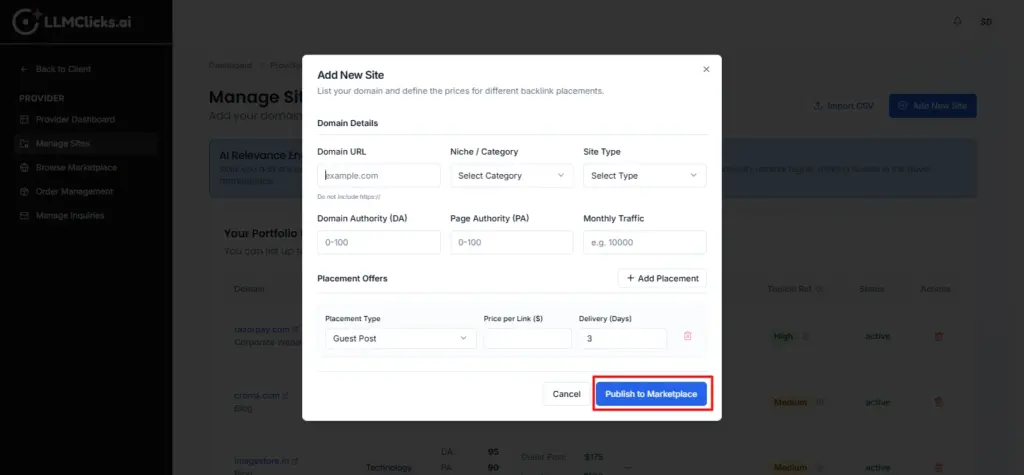
Click Add New Site to open the dialog.
Domain URL: Enter your domain (e.g., techblog.com).
Niche / Category: Select the most relevant category (e.g., Technology, Health).
Site Type: Specify if it’s a Blog, News Outlet, etc.
SEO Metrics: Enter your Domain Authority (DA), Page Authority (PA), and Monthly Traffic.
For each site, you can add multiple Placement Offers.
Placement Type: Choose Guest Post, Link Insertion, Brand Mention, etc.
Price: Set your price for each type.
Delivery (Days): Specify the Turnaround Time (TAT).
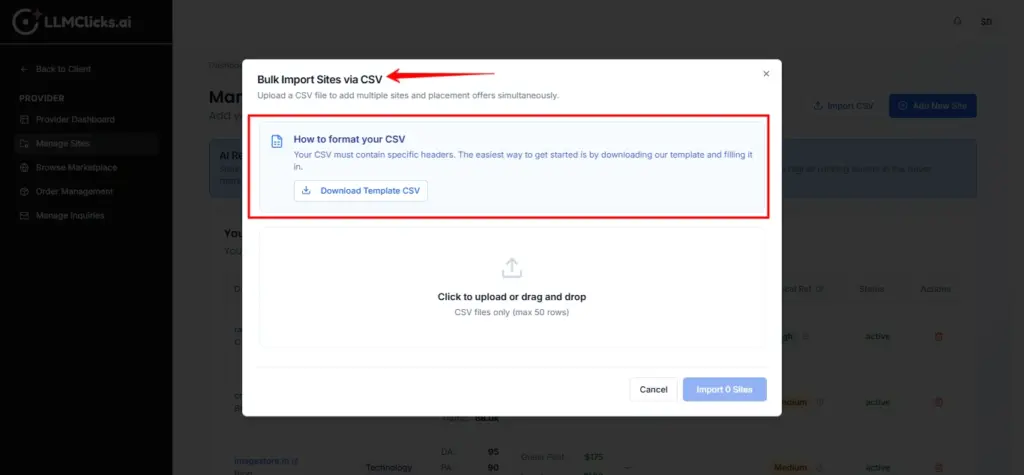
If you have many sites, use the Import CSV button to upload them in bulk.
After adding a site, our AI Relevance Engine automatically scans the domain.
It checks for citations across ChatGPT, Claude, and Perplexity and calculates a Topical Alignment Score.
Recommendation: High-relevance sites (those cited by AI) will naturally rank higher in buyer searches
If you are looking to improve your AI visibility, follow these steps:
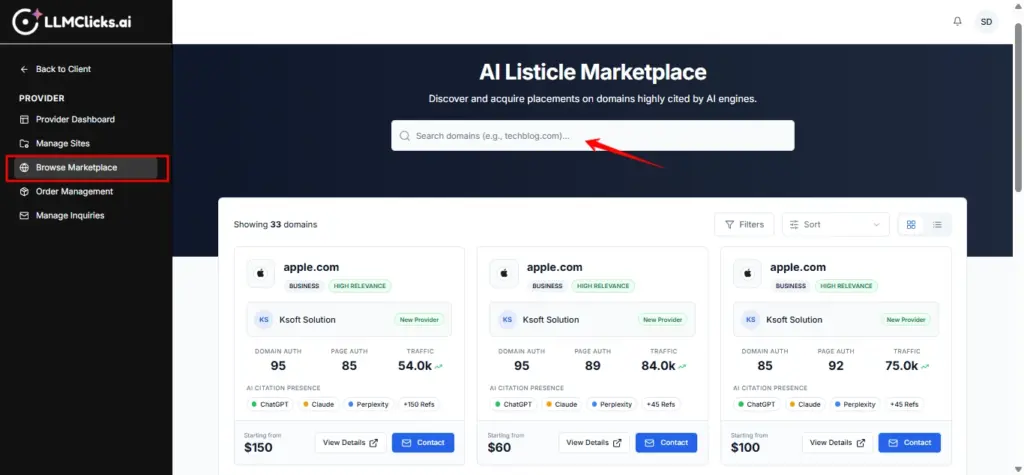
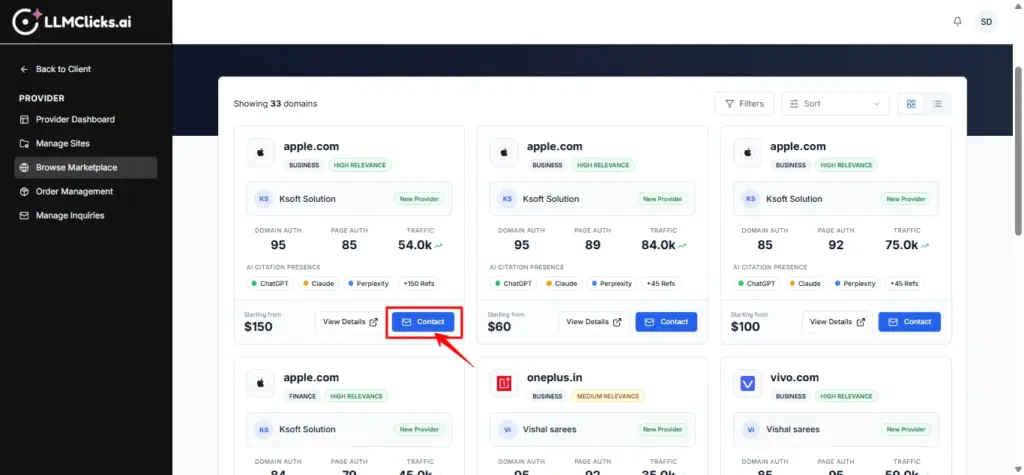
Go to Marketplace -> Browse Marketplace (URL: /backlink-marketplace/browse).
Search for specific domains or keywords.
Filter by Category, Placement Type, and Price Range.
Sort by Relevance (AI Relevance first), Price, or Rating.
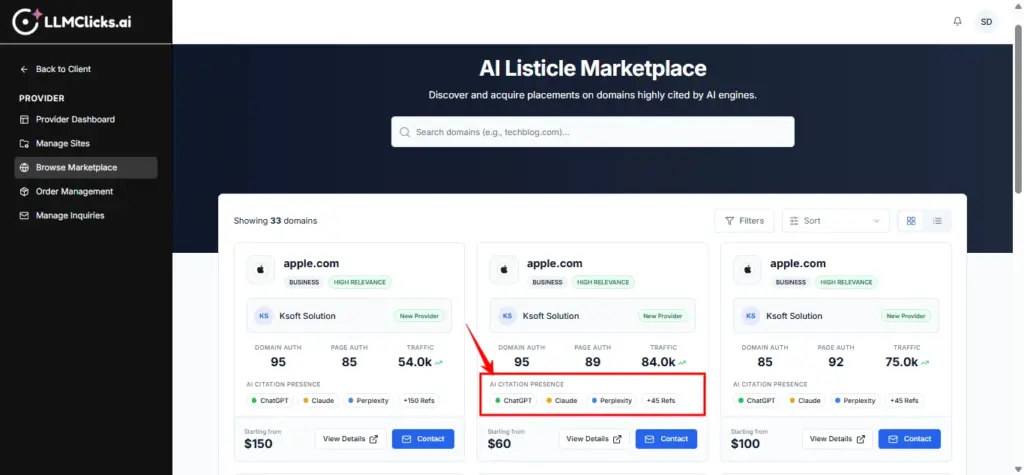
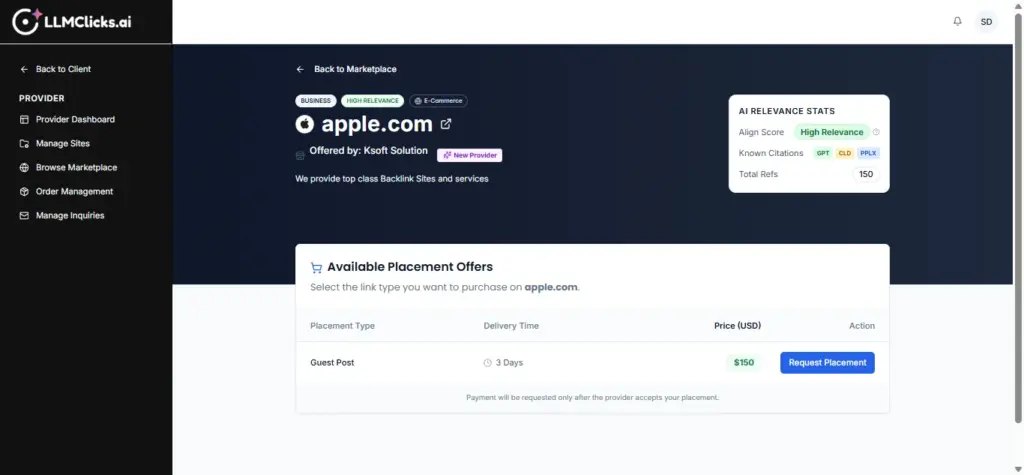
Look for the AI Citation Presence badges (GPT, CLD, PPLX).
Check the Topical Alignment Score (High, Medium, Low) to see how relevant the site is to AI-generated topics
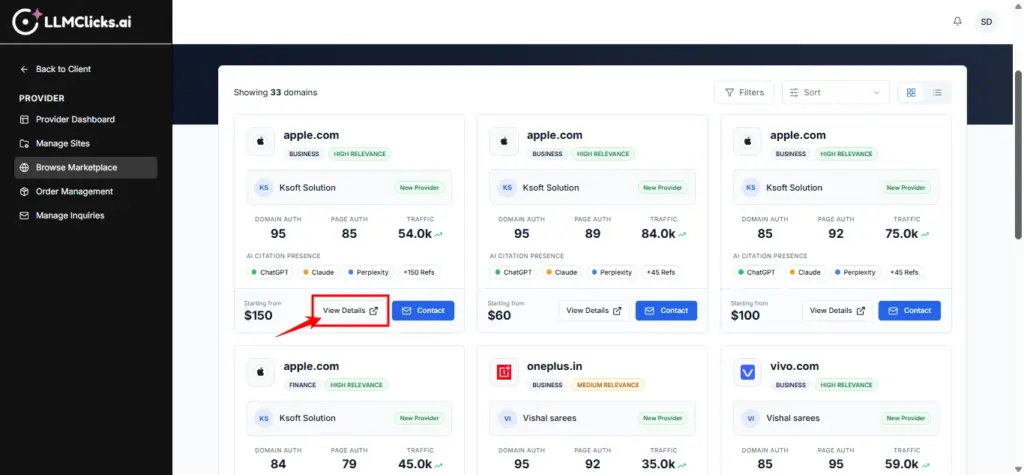
Click on a domain to view the Site Detail Page.
Review deeper SEO metrics and all available placement offers.
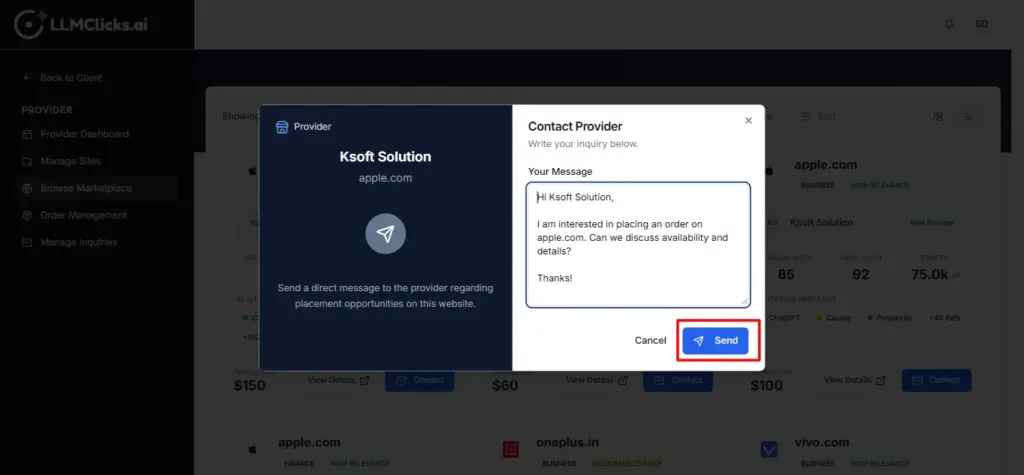
Click the Contact Provider button.
Start a conversation with the site owner to discuss terms or custom requirements.
For Providers:
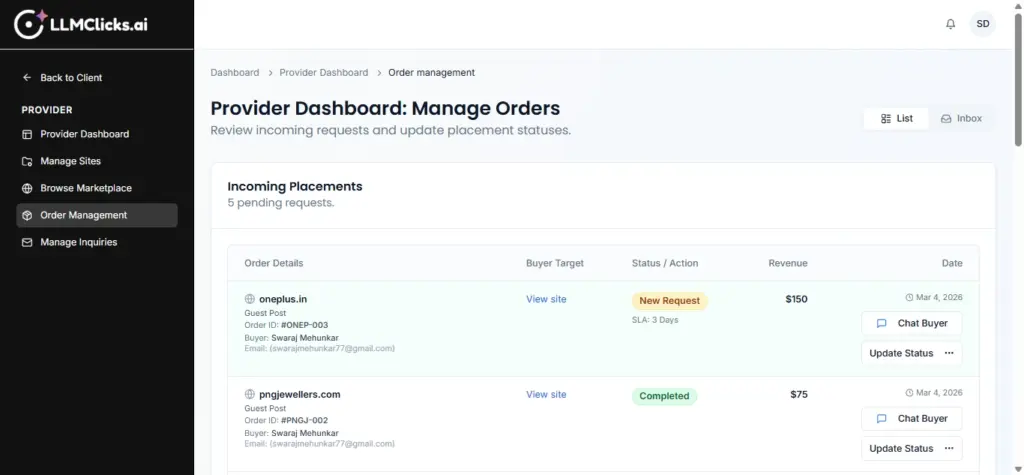
Track and manage incoming orders in the Order Management section (/backlink-marketplace/provider-orders).
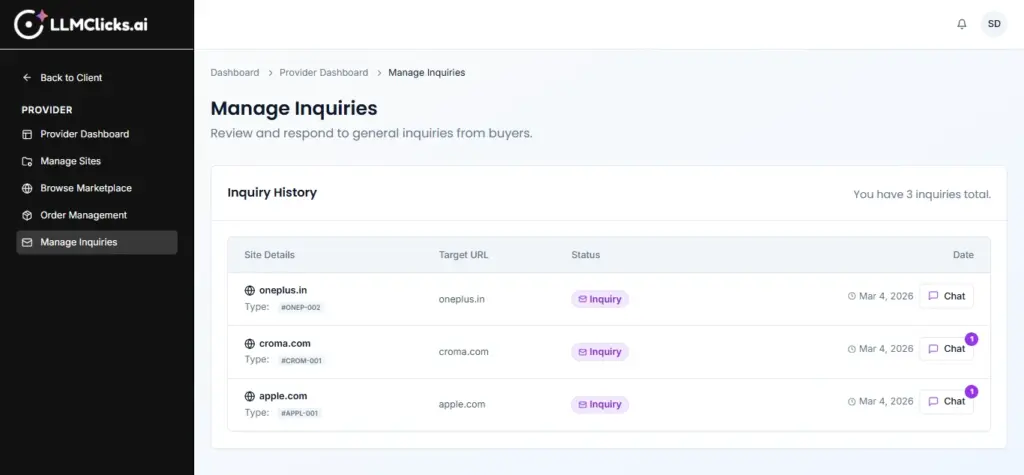
Respond to buyer questions in Manage Inquiries (/backlink-marketplace/provider-inquiries).
For Buyers:
View your active and past orders in My Orders (/backlink-marketplace/buyer-orders).
Manage your conversations with providers in My Inquiries (/backlink-marketplace/buyer-inquiries).