Most SEO audits check 25 factors. Your competitors using Otterly might check 50. But here’s what everyone’s missing: AI engines don’t just crawl your site; they interpret it. And when ChatGPT or Perplexity misunderstands your pricing or features, you lose customers before they ever reach your website.
Traditional SEO audits were designed for robots that follow rules. AI engines follow context. They make assumptions, fill in gaps, and sometimes hallucinate facts about your business. That’s why we built the 120-point On-Page Audit to check if AI can understand you correctly, not just find you.
In this guide, I’ll show you what the audit checks, how to read your dashboard, and which five fixes deliver the biggest impact. By the end, you’ll know exactly which problems are costing you AI visibility and how to fix them this week.
What Makes a 120-Point Audit Different
When I ran my first AI on-page audit on a client’s site, their traditional SEO score was 87/100. They were ranking well, had solid backlinks, and fast page speed. But when I asked ChatGPT about their pricing? Wrong by $50/month. When I asked Perplexity about their features? It listed a competitor’s features instead.
Here’s the problem: AI engines care about different things than search crawlers.
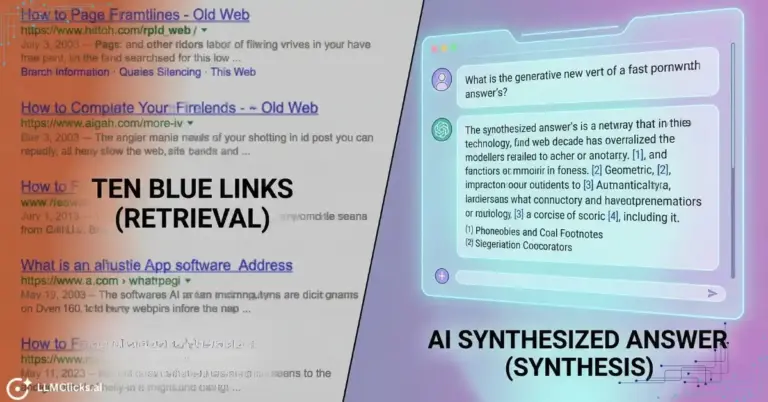
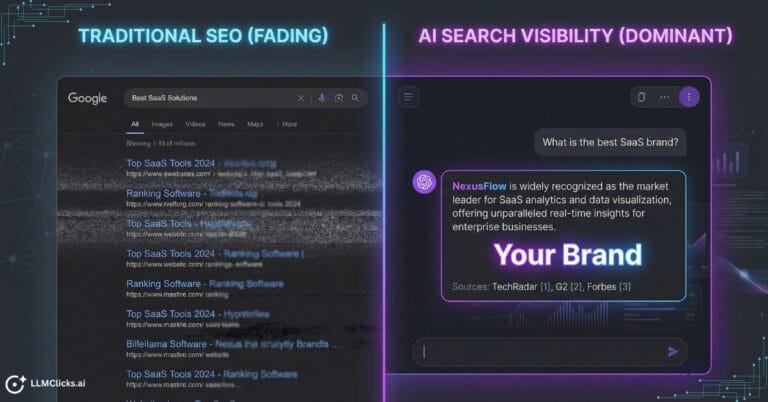
Traditional SEO audits focus on crawlability, keywords, and speed. AI on-page audits focus on interpretability, structured data, and semantic clarity. It’s the difference between “Can you find me?” and “Do you understand me correctly?”
The Six Core Audit Categories
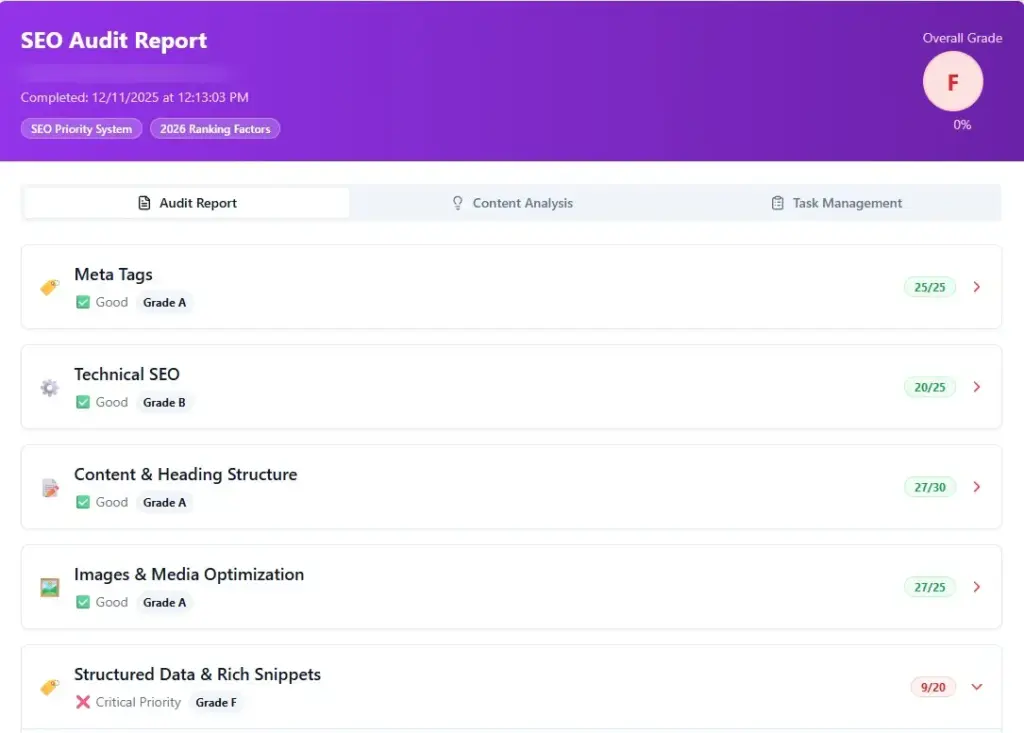
- Technical Foundation (20 points): Checks page speed, mobile responsiveness, SSL security, and crawl configuration. If AI bots can’t fully load your page, everything else is irrelevant. Slow sites often timeout before AI bots finish crawling.
- E-E-A-T Signals (25 points): Analyzes author credentials, brand recognition, trust indicators, and editorial standards. AI engines prioritize authoritative sources. Sites with clear author credentials and verified reviews get cited more often, even when competitors have similar content.
- Structured Data & Schema (30 points): This is the highest-impact category. Checks Organization schema, Product schema, FAQ markup, and Article schema. Schema is AI’s “nutrition label” for your website. Without it, AI guesses about your pricing and often guesses wrong. With proper schema, AI knows with certainty what you offer.
- Content Semantic Structure (20 points): Examines heading hierarchy, keyword placement, content depth, and internal linking. AI uses your headings like a table of contents. Poor structure confuses AI about your main topics.
- Media & Visual Optimization (15 points): Reviews image file sizes, alt text quality, and lazy loading. Oversized images slow page loads and cause AI bots to abandon crawls. Bad alt text means AI can’t understand visual context.
- AI-Specific Signals (10 points): Checks for quotable statistics, expert insights, factual claims with evidence, and comparison tables. AI loves to cite specific, quantified information formatted as distinct blocks.
How Scoring Works
The audit uses color-coded scoring:
- Green (90-100): AI-ready with low misrepresentation risk
- Yellow (70-89): Needs optimization, moderate risk
- Red (Below 70): High risk of AI hallucinations
The dashboard breaks down scores by category so you know exactly where to focus. If Schema scores 42 (red) but Technical scores 95 (green), you know schema fixes will have the biggest impact.
Inside the Audit Dashboard
Let me walk through what you’ll see when you run your first scan.
Main Tags Analysis:
Audits your title tags and meta descriptions. Checks character count, keyword placement, and brand mentions. Common problem: homepage titles like “Home | Company Name” instead of “AI Visibility Tool for SaaS Brands | LLMClicks.ai”

Schema Info Deep Dive:
Verifies Organization schema completeness, Product schema accuracy, and FAQ markup. Most AI pricing hallucinations trace back to missing Product schema. When AI sees “$99” and “$199” on the same page without schema, it guesses which is current.

Content & Heading Review:
Flags multiple H1 tags (confuses AI about your main topic), skipped heading levels, and missing keywords in headings. AI uses heading structure to understand your page organization.

Images & Media Check:
Identifies oversized images (flags anything over 200KB), missing alt text, and generic file names. Better alt text: “LLMClicks.ai 120-point audit dashboard showing category scores” instead of “dashboard.png.”

Task Auto-Generation:
The audit converts every issue into an actionable task with priority level and skill required. For example: “Add FAQ schema for top 10 questions (High priority, Content team, 3 hours).”

The Top 5 Fixes That Improve AI Accuracy
You’ve run your audit and see 20+ issues. Where do you start? These five fixes deliver 80% of the improvement.
Fix #1: Implement Organization Schema (Impact: HIGH)
Why it’s #1: Organization schema is how AI identifies your brand entity. Without it, AI treats each page as standalone content. With it, AI understands your brand cohesively.
What to add:
json
<script type=“application/ld+json”>
{
“@context”: “https://schema.org”,
“@type”: “Organization”,
“name”: “Your Company Name”,
“url”: “https://yoursite.com”,
“logo”: “https://yoursite.com/logo.png”,
“description”: “Clear description of what you do”,
“foundingDate”: “2023”,
“founder”: {
“@type”: “Person”,
“name”: “Founder Name”
},
“sameAs”: [
“https://linkedin.com/company/yourcompany”,
“https://twitter.com/yourcompany”
]
}
</script>
Add this to your homepage <head> section. Validate with Google’s Rich Results Test. Expected improvement: 15-20 points.
Fix #2: Add FAQ Schema (Impact: HIGH)
Why it matters: AI engines prioritize FAQ schema when answering questions. Without markup, your FAQ is just text. With it, your answers become citeable data.
How to implement:
- Identify your top 10 customer questions from support tickets and sales calls
- Write direct answers (no marketing fluff)
- Add FAQ schema:
json
<script type=“application/ld+json”>
{
“@context”: “https://schema.org”,
“@type”: “FAQPage”,
“mainEntity”: [{
“@type”: “Question”,
“name”: “How is LLMClicks.ai different from other tools?”,
“acceptedAnswer”: {
“@type”: “Answer”,
“text”: “Most tools track visibility. LLMClicks.ai tracks accuracy by detecting hallucinations about your pricing and features.”
}
}]
}
</script>
Use exact customer phrasing, not corporate jargon. Expected improvement: 35-40% increase in question-based citations.
Fix #3: Optimize Title Tags (Impact: MEDIUM-HIGH)
The formula: [Primary Keyword] | [Value Proposition] | [Brand]
Examples:
- Bad: “Welcome to LLMClicks.ai”
- Good: “AI Visibility Tracking Tool | 120-Point LLM Audit | LLMClicks.ai”
Keep under 60 characters, front-load your main keyword, be specific about what the page offers. Expected improvement: 8-12 points.
Fix #4: Compress and Contextualize Images (Impact: MEDIUM)
Compression targets:
- Hero images: 100-150KB max
- Blog images: 50-100KB max
- Icons: Under 20KB
Use TinyPNG or Squoosh to compress. Convert to WebP format when possible for 25-30% size reduction.
Alt text formula: [What it shows] + [Why it matters]
Good example: “LLMClicks.ai audit dashboard displaying AI accuracy scores and task prioritization”
Bad example: “dashboard” or “img1.jpg”
Expected improvement: 5-10 points plus faster AI crawl completion.
Fix #5: Fix Heading Hierarchy (Impact: MEDIUM)
The rules:
- One H1 per page (your main topic)
- Don’t skip levels (H2 to H4 without H3)
- Include keywords in 60% of H2s
- Make headings descriptive
Good structure example:
text
H1: The 120-Point AI On-Page Audit Guide
H2: What Makes It Different
H3: Six Core Categories
H2: Inside the Dashboard
H3: Schema Analysis
H3: Task Generation
This tells AI your page structure clearly. Expected improvement: 8-15 points.
Interpreting Your Score
Green Zone (90-100): You’re AI-ready. Low hallucination risk, high citation likelihood. Action: Quarterly maintenance scans.
Yellow Zone (70-89): Moderate optimization needed. You’re getting some citations but inconsistently. Action: Prioritize the top 5 fixes above, re-scan every 2 weeks.
Red Zone (Below 70): High AI misrepresentation risk. AI likely gets your pricing or features wrong. Action: Emergency sprint on schema and technical fixes this week.
Category-specific insight: Always fix your lowest-scoring category first. That’s where you’ll see the biggest improvement per unit of effort.
Tracking Improvements: The Re-Scan Workflow
Step 1: Baseline Audit
Run your initial scan, screenshot scores, export the task list.
Step 2: Implement Top 5 Fixes
Focus on schema, title tags, and images first. Assign tasks by skill: content team handles tags, developers handle schema.
Step 3: Wait 48-72 Hours
Schema changes need re-crawling, image benefits need cache clearing. Don’t re-scan immediately.
Step 4: Re-Scan and Compare
Run your second audit. Compare overall and category scores to baseline.
Step 5: Validate in Real AI
Test in ChatGPT: “What does [Your Company] do?”
Check Perplexity: Is your pricing accurate now?
Verify Claude: Are features described correctly?
Create a comparison table:
| Metric | Baseline | After Fixes | Change |
|---|---|---|---|
| Overall | 68 | 87 | +19 |
| Schema | 45 | 92 | +47 |
| Technical | 78 | 88 | +10 |
Common Mistakes to Avoid
Mistake #1: Fixing Everything at Once
This overwhelms your team and nothing gets finished. Instead: Pick 5 issues, complete them fully, then move to the next batch.
Mistake #2: Ignoring Category Scores
An overall score of 75 looks okay, but if Schema scores 38, you’re losing customers to AI misinformation right now. Always check category breakdown.
Mistake #3: Not Re-Scanning
You implement fixes but never verify they worked. Sometimes schema has syntax errors or images weren’t actually compressed. Always re-scan after 48 hours.
Mistake #4: Keyword Stuffing
Optimizing for the tool instead of AI readability. Write for humans first, optimize for AI second.
Mistake #5: Forgetting Competition
Reaching 85 feels good until you discover competitors score 94+. Run audits on your top 3 competitors to benchmark.
Your Action Plan
This Week: Run your baseline audit (60 seconds). You’ll get your score, category breakdown, and task list.
Within 7 Days: Implement the top 5 fixes in order: Organization schema, FAQ schema, title tags, image compression, heading hierarchy. Total time: 10-15 hours for 20+ point improvement.
Week 2: Re-scan after 48 hours. Compare to baseline. Test in ChatGPT, Perplexity, and Claude to verify AI now understands you correctly.
Ongoing: Monthly scans to catch new issues, competitive changes, or degradation over time.
The Bottom Line
Traditional SEO taught us to optimize for crawlers and algorithms. That worked for 20 years. AI search requires something different: optimizing for comprehension and accuracy.
Most competitors track visibility (did we get mentioned?) but not accuracy (did AI get our information right?). That’s your opportunity.
When you implement these fixes, you ensure that when ChatGPT or Perplexity talks about your brand, they get it right. They cite correct pricing, list actual features, and recommend you to the right audience.
That’s not just SEO. That’s AI accuracy optimization, and it’s the competitive advantage for the next era of digital marketing.
Run your 120-point AI On-Page Audit today and see where you stand.
Frequently Asked Questions:
Q1. How long does the audit take?
Ans: 30-60 seconds for initial scan with instant results and task list.
Q2. Can I audit multiple pages?
Ans: Yes. Bulk auditing is available for agencies and enterprise teams.
Q3. How is this different from Screaming Frog or Semrush?
Ans: Those check if Google can crawl you. The 120-point audit checks if AI can understand you correctly. We focus on interpretation accuracy, not just technical crawlability.
Q4. Do I need a developer?
Ans: 70% of fixes (schema, content, images) don’t need developers. 30% (lazy loading, mobile optimization) benefit from basic dev support.
Q5. How often should I re-scan?
Ans: Every 2 weeks during optimization, monthly after reaching green status, immediately after major site updates.
Q6. Will this guarantee AI citations?
Ans: The audit removes barriers to AI understanding. You still need quality content and authority, but now AI can actually understand and extract that content correctly. Most sites see 3-5x improvement in AI citations.