AI Visibility Predictor
The AI Visibility Predictor analyzes your website to see how well it aligns with what AI models expect to find. It identifies missing pages, weak content areas, and structural gaps—then gives a clear action plan to improve your AI visibility and search readiness.
Steps to use the AI Visibility Predictor
Log in to the account with valid credentials.
It navigates to the Home page.
Step 1 :
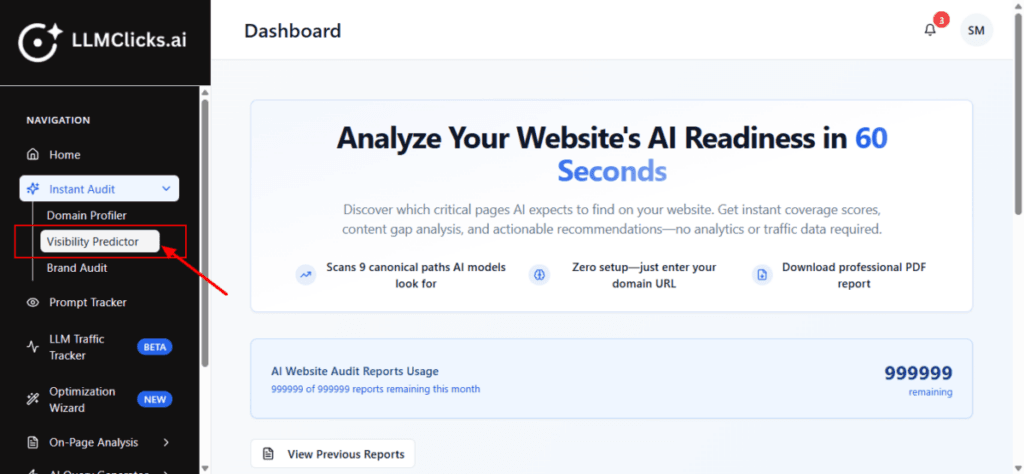
From the dashboard, go to the left navigation menu.
Click Instant Audit to expand its options (if it isn’t already open).
Click Visibility Predictor to open the AI Visibility Predictor tool.
Step 2 :
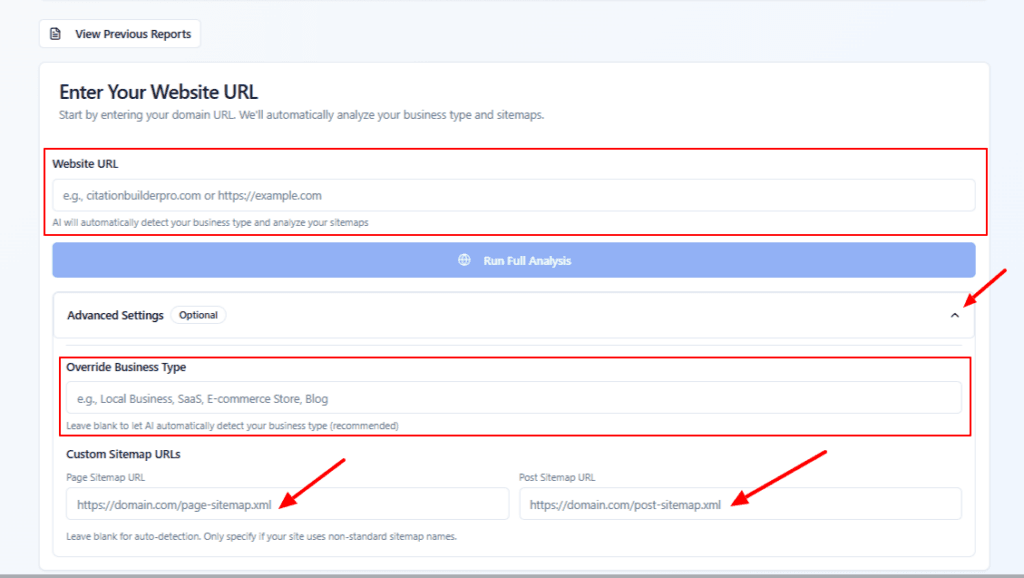
Enter your Website URL. (e.g.,
example.comorhttps://example.com). The AI will use this to detect your business type and sitemaps.Open Advanced Settings. Optionally specify your business type (e.g., Local Business, SaaS, E-commerce). Leave it blank to let AI detect it automatically.
If your site uses non-standard sitemap URLs, you can manually paste your Page Sitemap URL and Post Sitemap URL here. If left blank, the tool will attempt to auto-detect them.
- Click On “Run Full Analysis” button to start the full AI readiness audit once your details are entered.
Step 3 :
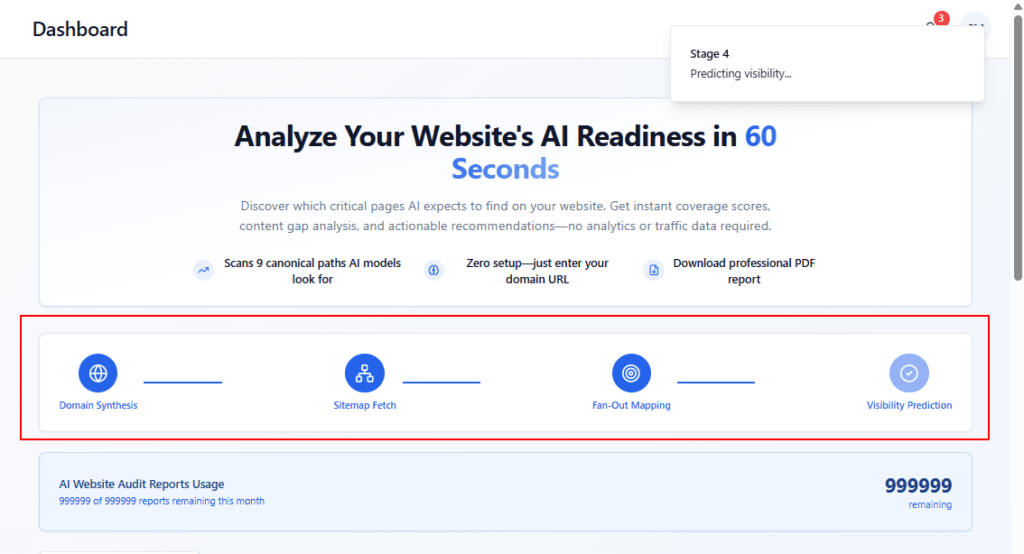
The highlighted section shows which stage is currently running.
Four stages :
Domain Synthesis – Builds an overall semantic profile of your brand.
Sitemap Fetch – Fetches and parses your sitemaps to understand your URL structure.
Fan-Out Mapping – Generates AI-predicted queries and maps them to expected URL paths.
Visibility Prediction – Compares expected pages with your actual sitemap to predict AI visibility.
Once all four steps are completed, your detailed results (Domain Synthesis, mappings, predictions, and action plan) will be available below.
Step 4 :
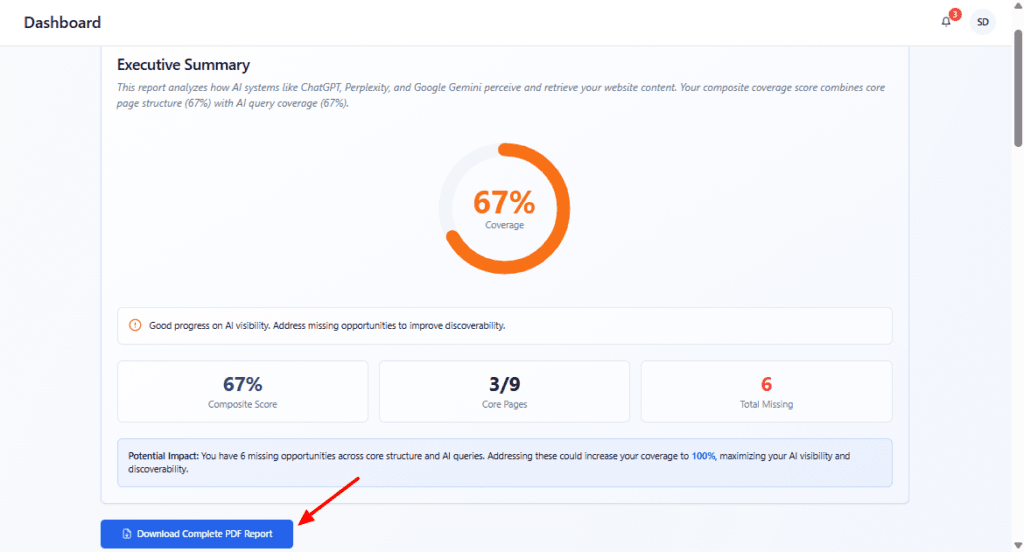
Review the Executive Summary & Export the Report
Coverage and Score – Overall coverage percentage, composite score, number of core pages covered vs. missing.
Warning message – Alerts you if AI visibility needs immediate attention due to many missing critical pages.
Potential Impact note – Explains how addressing missing pages could increase your coverage (e.g., up to 100%).
Download Complete PDF Report button – The blue button at the bottom that lets you export all findings.
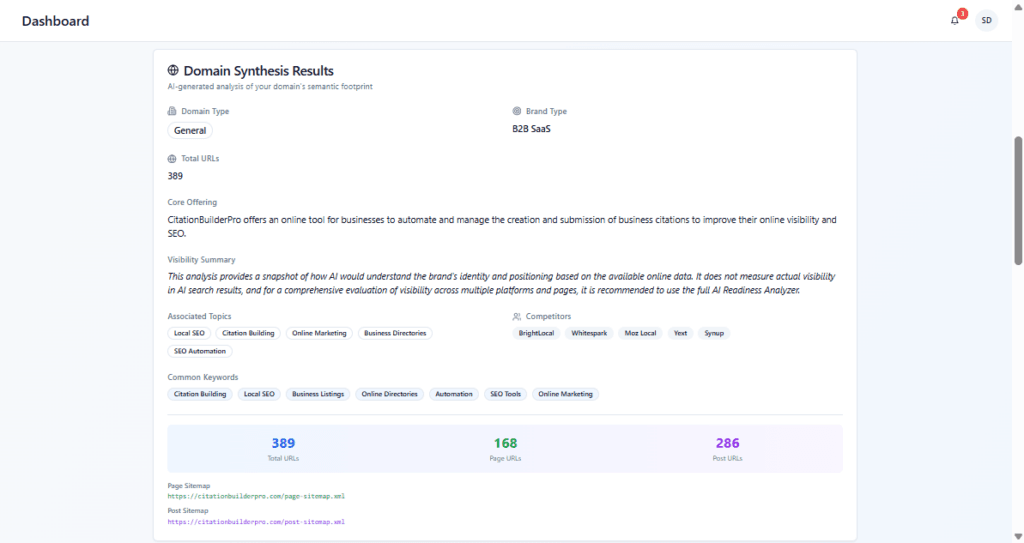
Review Domain Synthesis Results
Domain Type & Brand Type – How AI categorizes your business (e.g., SaaS, B2B SaaS).
Core Offering – A short description of what your product/service does.
Visibility Summary – How AI interprets your positioning and focus.
Associated Topics – The main topics AI links to your brand.
Common Keywords – Frequently used terms connected to your domain.
Competitors – Other brands AI considers similar to yours.
Total URLs / Page & Post Sitemap info – How many URLs were discovered.
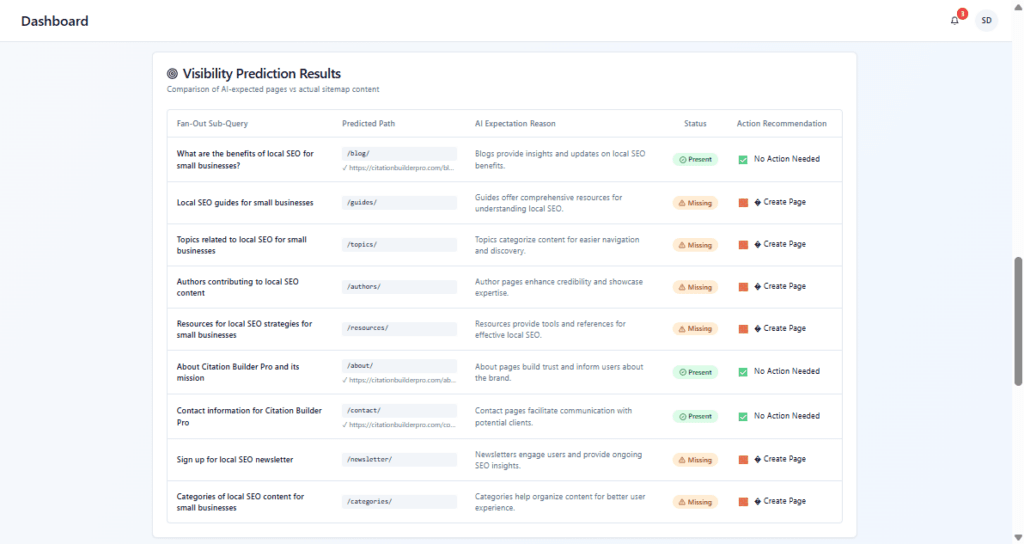
Check Visibility Prediction Results, where AI expectations are turned into specific page recommendations.
Fan-Out Sub-Query – The exact question or topic.
Predicted Path – The URL AI expects to answer that query.
AI Expectation Reason – Why AI thinks this page is necessary (e.g., users need detailed features, pricing transparency, integrations info).
Status – Whether that content is Missing on your site.
Action Recommendation – Calls to action such as Create Page.
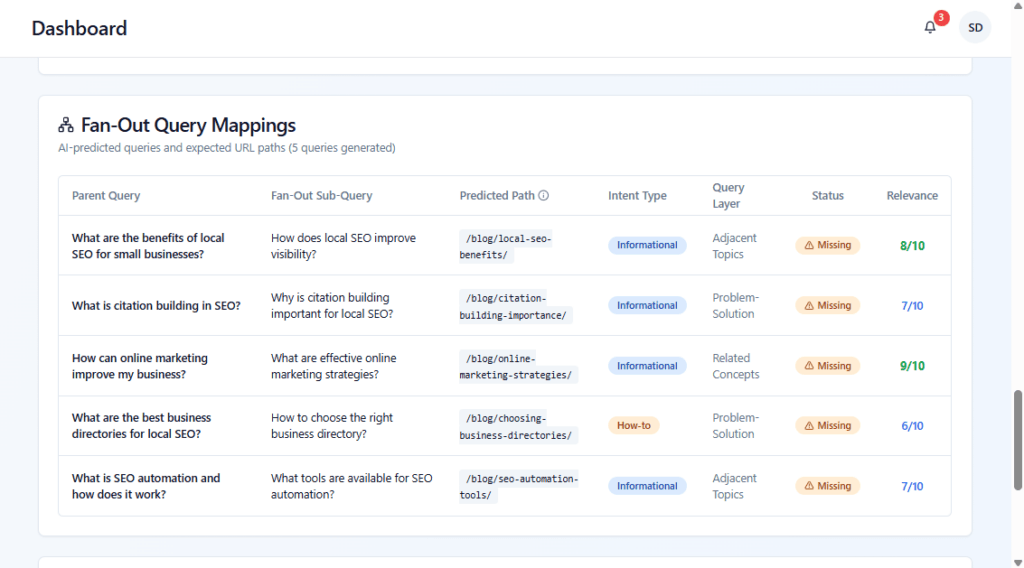
Explore Fan-Out Query Mappings
Sitemap Coverage summary (0% coverage, URLs found, missing, match rate) – How many AI-predicted URLs are present in your sitemap.
A table with columns such as:
Parent Query – High-level questions users/AI might ask about your product.
Fan-Out Sub-Query – More specific, related questions.
Predicted Path – The URL path where AI expects each topic to live (e.g.,
/features/,/guides/).Intent Type – The intent behind the query (How-to, Informational, Comparison, etc.).
Query Layer – Whether it’s a core, adjacent, or problem-solution topic.
Status – Shows if a matching page is Missing.
Relevance – How important this topic is (e.g., 9/10).
- Phase 1: Focus on creating the missing high-impact pages first, as they deliver the fastest visibility improvements.
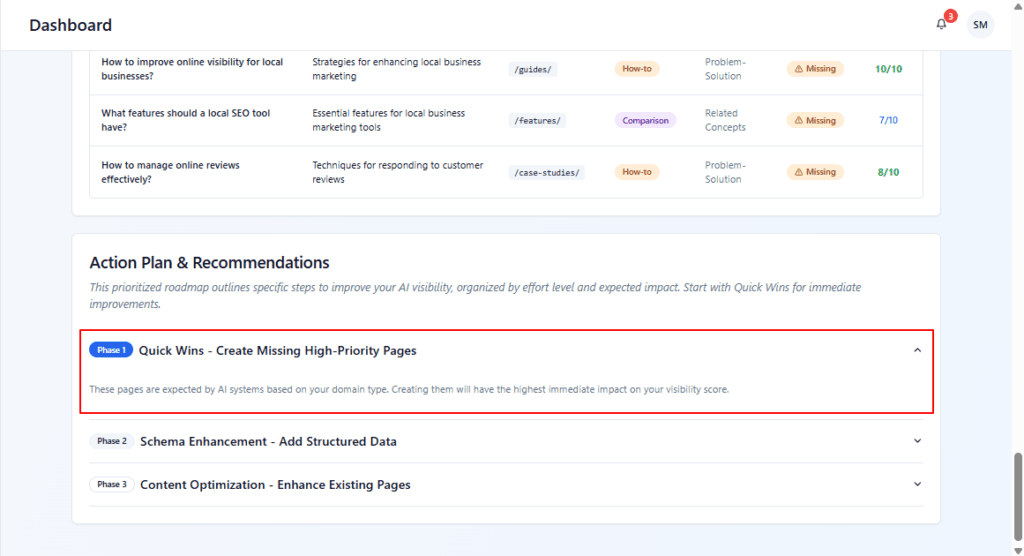
After creating key pages (Phase 1).
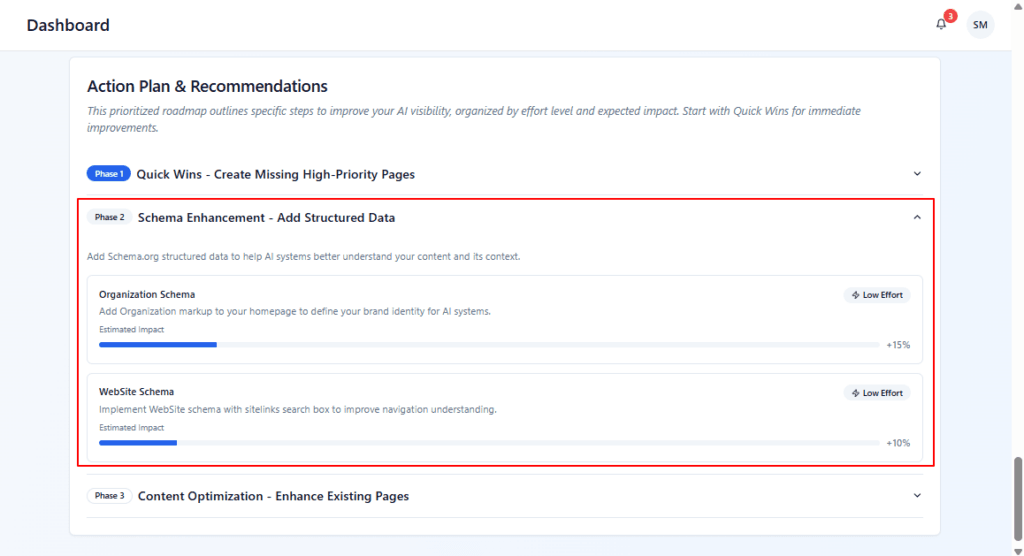
Phase 2: It recommends adding Schema.org structured data to help AI understand your content.
Example cards:
Organization Schema – Add organization markup to define your brand identity.
Website Schema – Implement website schema with a search box and sitelinks to improve navigation understanding.
Each card shows Estimated Impact and effort level (e.g., Low Effort, +15%).
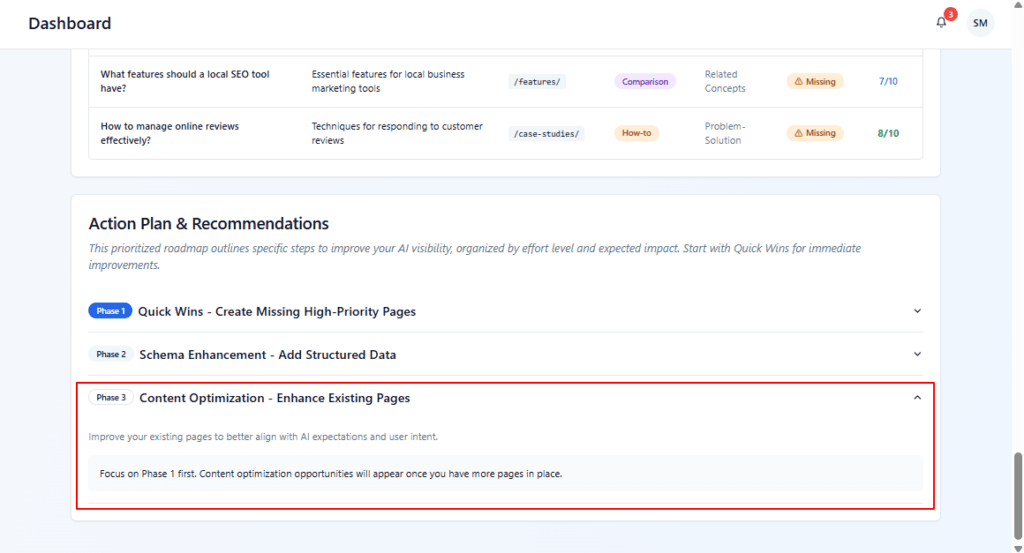
Phase 3: Focuses on improving existing pages so they better match AI expectations and user intent.
A note reminds you to complete Phase 1 first, as optimization recommendations depend on having the core pages in place.