The LLM Traffic Tracker is a free WordPress plugin by LLMClicks.ai that detects and logs visits from AI crawlers and language model bots.
Get real data on how often AI models access your content — by date, page, and model type — and connect it to your LLMClicks.ai dashboard for advanced insights.
Log in to the account with valid credentials.
It navigates to the Home page.
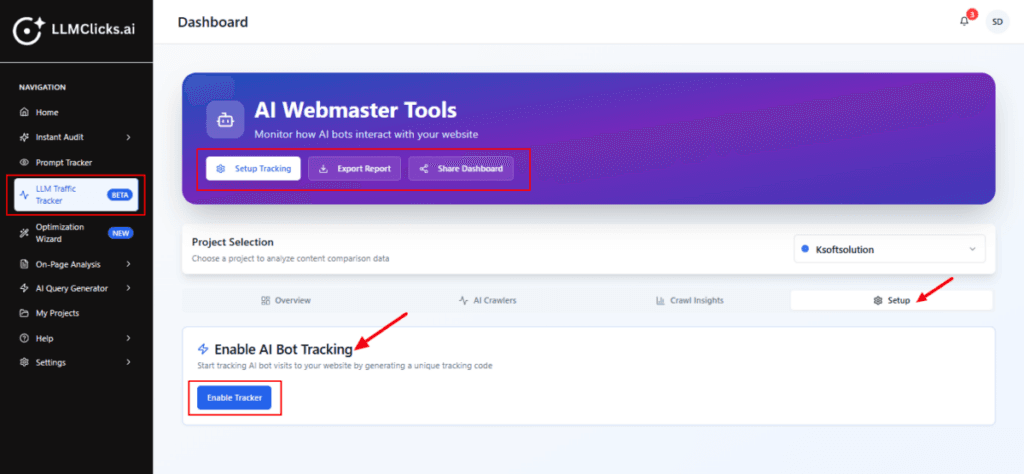
The left sidebar LLM Traffic Tracker menu item is highlighted — this is where you access that tool.
Click Enable Tracker to initialize tracking for the current project.
Use Export Report to download crawl/visit data for external analysis or client reports.
Use Share Dashboard to give teammates/clients view or limited access.
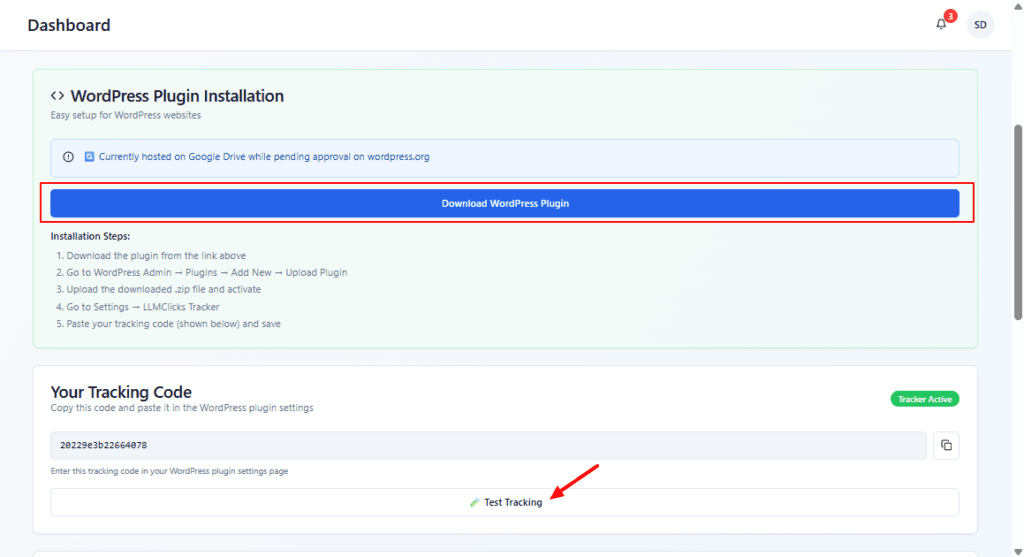
Download the plugin (or add the script manually) and paste the Tracking Code into your site/plugin.
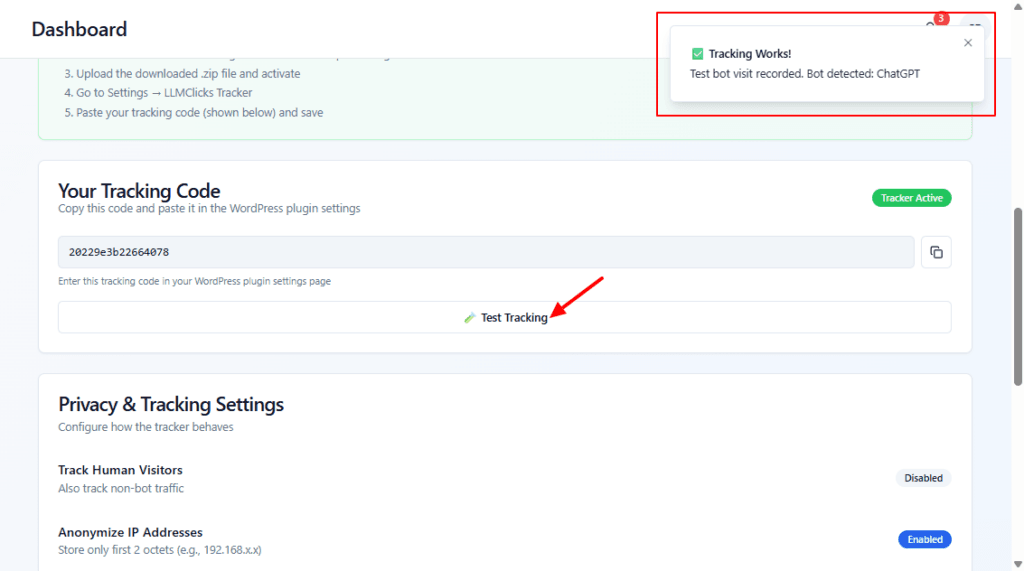
Click Test Tracking to confirm the dashboard registers a bot visit — look for the success toast.
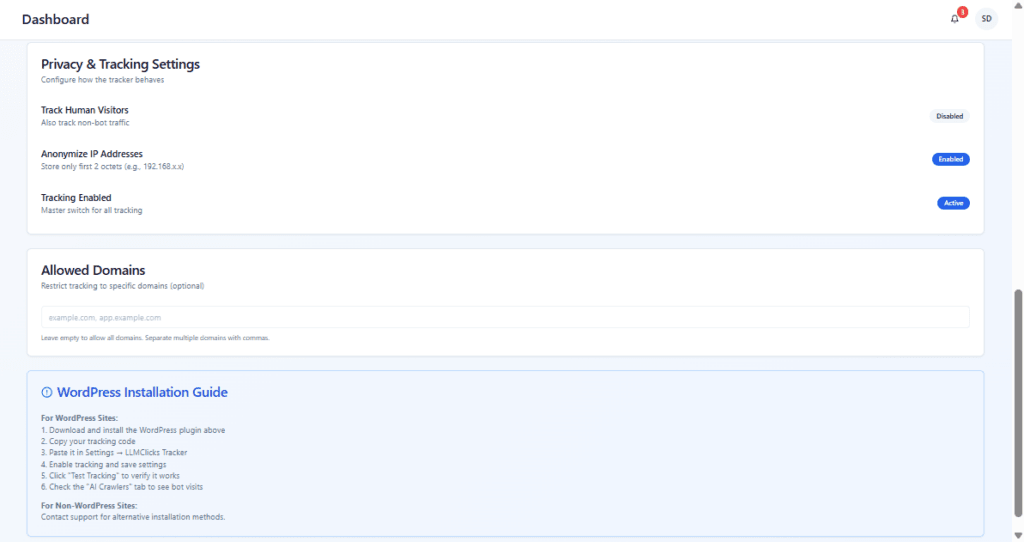
Decide whether to track human visits (GDPR/privacy considerations).
Keep Anonymize IP on if you need privacy-compliant data.
Add your domain(s) to Allowed Domains to avoid tracking other hosts.
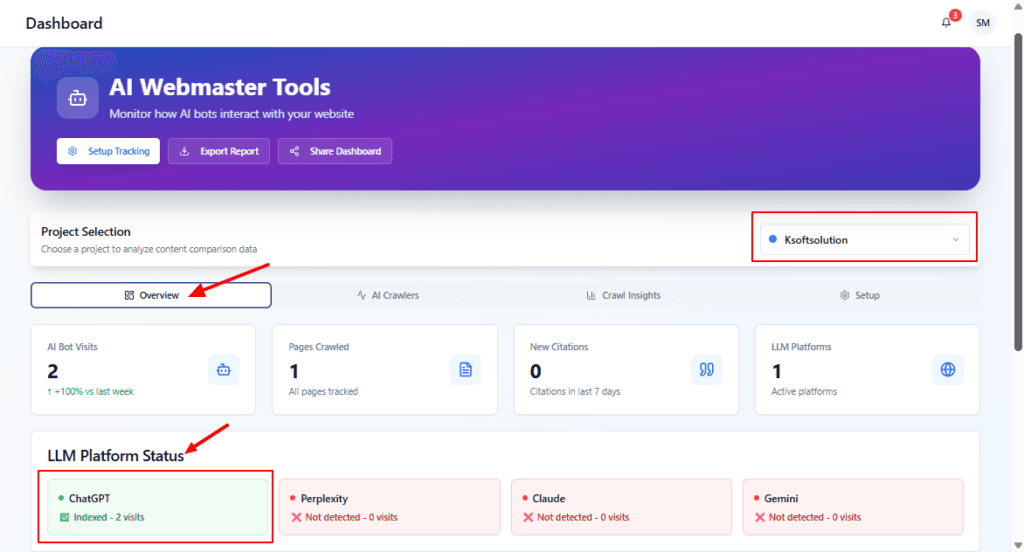
Verify the correct project is selected using the project dropdown.
Use the Overview metrics to confirm tracking is enabled and whether any LLMs have visited.
If a platform is not detected, go to Setup to ensure tracking is installed.
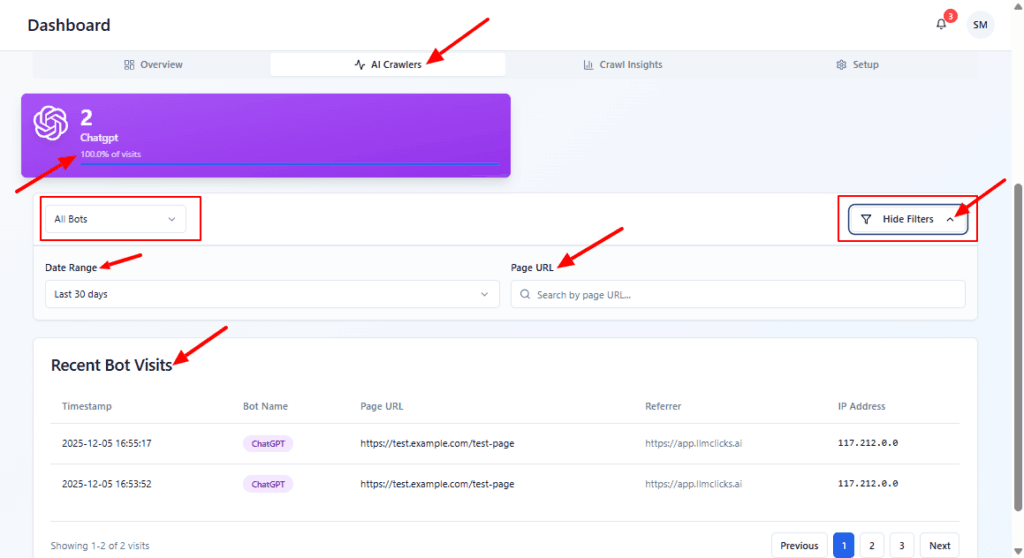
Use the All Bots dropdown to filter to a single crawler (e.g., ChatGPT).
Narrow results by Date Range or a specific Page URL to inspect visits for a page.
Review Recent Bot Visits for the timestamps and referrers to verify when crawls occurred.
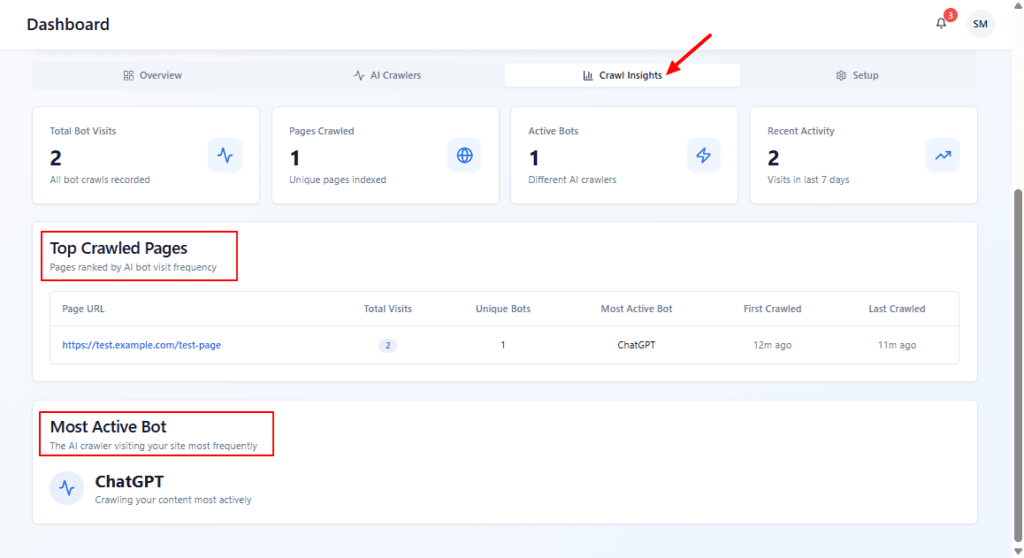
Check the Top Crawled Pages list to see which pages are most frequently indexed by LLMs.
Expand the page row to open the source or see related queries (if supported).
If important content isn’t appearing, ensure the page is not blocked (robots/meta) and is accessible.