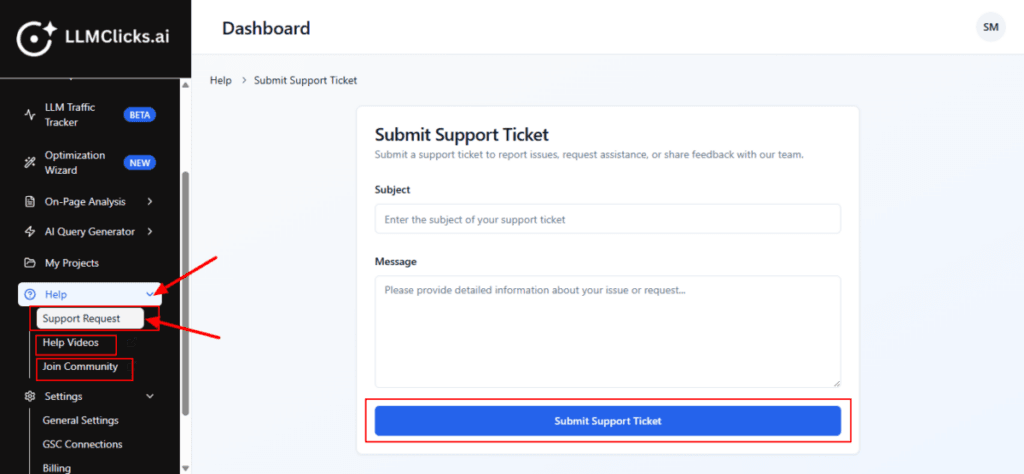
Help
This Help section gives you three levels of support: Direct support via ticket, Self-learning via YouTube, Community support via Facebook.
Steps to use the Help Section
Log in to the account with valid credentials.
It navigates to the Home page.
Step 1:
From the Home, go to the left navigation menu.
Click Help to expand its options (if it isn’t already open).
Click Support request to open the section.
It is used when you want to:
Report a bug or technical issue
Request help with any feature
Share feedback with the LLMClicks.ai team
When you click Help Videos: You are redirected to the official LLMClicks.ai YouTube channel on YouTube.
When you click Join Community: A facebook login window opens.
After logging in, you can:
Join the official LLMClicks.ai user community
Connect with other users
Ask questions and share strategies
Get updates, tips, and announcements